Performance Indicator Settings Panel
The Performance Indicator Settings panel on the General Settings screen is used to define whether the Sold Matches performance indicator displays information about the type of vehicle sold, such as new or used, or about the source of the sale, such as a campaign or a service interaction. The Sold Matches performance indicator displays on the Home screen.

|
The Performance Indicator Settings panel displays on the General Settings screen. To access the General Settings screen, click the |
 (More) icon and then click the General Settings link in the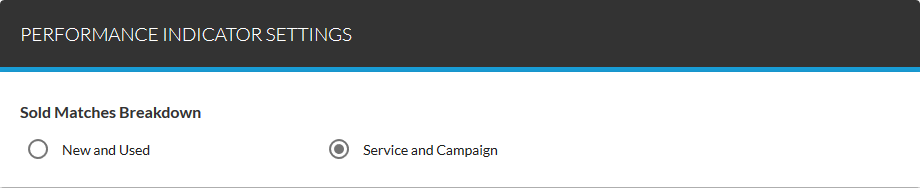
To define the information that displays on the Sold Matches performance indicator, select an option button in the Performance Indicator Settings panel. For example, to define the Sold Matches Performance Indicator to display information about vehicle sales associated with campaigns and service interactions, select the Service and Campaign option button.
The following items are available in the Performance Indicator Settings panel.
New and Used: Select this option button to display the number of new, used, and certified vehicle sales associated with XtreamService leads on the Sold Matches performance indicator.
Service and Campaign: Select this option button to display the number of vehicle sales associated with campaigns and service interactions over several timeframes on the Sold Matches performance indicator.
Click here for a list of products that may be mentioned in this help file.